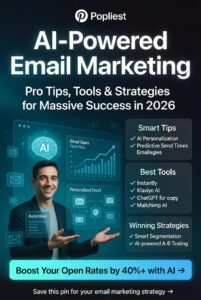
Email marketing remains one of the most useful ways for businesses, creators, and online entrepreneurs to communicate with their audiences.
But creating effective emails consistently can take a lot of time. You need to come up with topics, write subject lines, create engaging content, personalize messages, organize campaigns, and analyze results.
This is where artificial intelligence (AI) can make email marketing easier.
AI tools can help with everything from brainstorming email ideas and writing subject lines to creating campaign drafts, segmenting audiences, improving personalization, and analyzing performance.
The important thing to remember is that AI should support your email marketing strategy rather than completely replace the human side of communication.
In this guide, you’ll learn how AI can help with email marketing and how you can use it to create more useful, relevant, and engaging campaigns.
What Is AI Email Marketing?
AI email marketing refers to using artificial intelligence tools to assist with different parts of the email marketing process.
Instead of manually handling every task, marketers can use AI to speed up repetitive work and generate ideas.
For example, AI can help you:
- Generate email ideas
- Write subject lines
- Draft newsletters
- Personalize messages
- Create welcome emails
- Improve calls to action
- Segment audiences
- Repurpose existing content
- Analyze campaign results
- Test different versions of emails
- Create follow-up sequences
- Improve email workflows
AI doesn’t eliminate the need for marketers. Instead, it gives them more time to focus on strategy, creativity, and building relationships with subscribers.
1. Use AI to Generate Email Ideas
One of the first challenges in email marketing is deciding what to send.
If you send emails regularly, you may eventually run out of ideas.
AI can help you build a content bank.
For example, if you run a fitness business, you could ask:
“Give me 30 email newsletter ideas for a fitness business targeting beginners. Include educational tips, motivation, common mistakes, product recommendations, and questions from customers.”
You can then select the most relevant ideas and adapt them to your audience.
Other email ideas might include:
- Weekly tips
- Customer stories
- Product updates
- Tutorials
- Industry news
- Frequently asked questions
- Special offers
- Behind-the-scenes content
- Case studies
- Helpful resources
The more information you give AI about your audience, the more relevant the suggestions can become.
2. Create Better Email Subject Lines
The subject line is one of the first things subscribers see.
A strong subject line can encourage someone to open an email, while a vague one may be ignored.
AI can generate multiple subject line options quickly.
For example, instead of:
New Blog Post
you might create variations such as:
- 5 Simple Ways to Save More Time
- Struggling With Productivity? Start Here
- Try These 5 Productivity Habits
- A Simpler Way to Get More Done
You can ask AI:
“Give me 15 subject lines for an email about [topic]. Make them clear, natural, specific, and curiosity-driven without using misleading clickbait.”
You can then choose the version that best matches your brand.
3. Write Email Drafts Faster
Writing every email from scratch can be exhausting.
AI can help you create a first draft.
For example:
“Write a friendly email introducing our new online course about beginner photography. Explain who it is for, what they will learn, and include a simple call to action.”
AI can produce a starting point that you can edit.
The important thing is not to publish the first draft automatically.
Add your own examples, personality, and brand voice.
4. Personalize Your Emails
Personalization can make emails feel more relevant.
Instead of sending exactly the same message to everyone, you can tailor content based on information such as:
- Customer interests
- Previous purchases
- Content preferences
- Customer stage
- Previous interactions
- Products viewed
- Location, when appropriate and lawfully collected
AI can help create variations of an email for different audience segments.
For example, a clothing business could send different recommendations to customers interested in men’s clothing, women’s clothing, accessories, or sportswear.
The goal is not to make personalization feel creepy.
It should make the email more useful.
5. Create Welcome Email Sequences
A welcome email is often one of the first interactions between your brand and a new subscriber.
AI can help you build a welcome sequence.
For example:
Email 1: Welcome and introduction
Email 2: Helpful resources
Email 3: Your best content
Email 4: Common problems and solutions
Email 5: Product or service introduction
You can ask:
“Create a five-email welcome sequence for new subscribers interested in [topic]. Keep the emails helpful and conversational, and gradually introduce our product.”
You can then adjust the sequence based on your audience and goals.
6. Improve Calls to Action
A call to action tells readers what you want them to do next.
Examples include:
- Read the article
- Download the guide
- Book a consultation
- Start a free trial
- Shop now
- Watch the video
- Reply to the email
AI can help you create different CTA options.
For example:
“Give me 10 natural call-to-action phrases for an email promoting a free budgeting guide. Avoid aggressive sales language.”
This gives you several options to test.
7. Turn Blog Posts Into Emails
If you already publish blog content, you can repurpose it into newsletters.
For example, a 1,500-word blog post could become:
- A short newsletter
- Three email tips
- A five-email series
- A promotional email
- A summary email
You can ask:
“Turn this blog post into a 400-word email newsletter. Summarize the most useful points and encourage readers to read the full article.”
This can save time while helping you get more value from existing content.
8. Create Different Versions of the Same Email
Sometimes you have a good message but want to test different approaches.
AI can create variations based on:
- Tone
- Length
- Subject line
- CTA
- Opening paragraph
- Level of urgency
- Customer segment
For example:
“Create three versions of this promotional email: one friendly, one concise, and one highly educational. Keep the main offer and facts the same.”
You can then compare the versions.
9. Use AI for Email Segmentation
Not every subscriber has the same needs.
A beginner may need educational content, while an experienced customer may want advanced information.
AI can help you think through useful audience segments.
For example:
New subscribers
Need introductions and educational content.
Engaged subscribers
May respond well to deeper resources.
Customers
May need product support, updates, and related offers.
Inactive subscribers
May need a re-engagement campaign.
You can ask AI:
“Suggest useful email audience segments for a business selling [product/service]. Explain what type of content would be appropriate for each segment.”
You should base actual segmentation on reliable customer data and appropriate consent and privacy practices.
10. Create Re-Engagement Campaigns
Some subscribers stop opening emails.
Instead of immediately removing them, you can try a re-engagement campaign.
For example:
Email 1: We miss you
Email 2: Here’s what you may have missed
Email 3: Would you still like to hear from us?
AI can help you create different approaches.
Prompt:
“Create a three-email re-engagement campaign for inactive subscribers. Keep it friendly and respectful, and avoid aggressive sales language.”
The goal is to give subscribers a useful reason to engage again.
11. Improve Email Readability
Even a great message can fail if it’s difficult to read.
AI can review an email for:
- Long sentences
- Large paragraphs
- Confusing language
- Repetition
- Weak openings
- Unclear CTAs
Try:
“Edit this email for readability. Make it concise, conversational, and easy to scan on a mobile device while preserving the original message.”
This can help make your emails more accessible.
12. Match Your Brand Voice
Your emails should sound like your brand.
If your company is friendly and casual, a highly formal AI-generated email may feel out of place.
Give AI examples of your existing writing and ask it to identify your style.
For example:
“Analyze these three previous emails and identify the brand voice, sentence style, vocabulary, and tone. Use those characteristics when improving my next email.”
You should still review the result before sending it.
13. Use AI to Improve Email Sequences
Email marketing often works better as a sequence rather than a single message.
For example, someone downloading a free guide might receive:
- Welcome email
- Guide delivery
- Helpful tip
- Related educational content
- Product introduction
- Customer story
- Final invitation
AI can help you map out the sequence and identify what each email should accomplish.
Ask:
“Create a seven-email sequence for people who downloaded our free guide about [topic]. Move from education to trust-building and then to a relevant product offer.”
14. Analyze Email Performance
AI can also help you interpret campaign data.
Depending on the information available, you may analyze metrics such as:
- Open rates
- Click-through rates
- Conversion rates
- Unsubscribe rates
- Revenue
- Engagement over time
For example, you might ask:
“Here are the results from my last 10 email campaigns. Identify patterns and suggest possible improvements.”
AI can help summarize the data and identify areas worth investigating.
However, don’t assume that a single metric tells the whole story.
A high open rate doesn’t necessarily mean an email generated valuable results.
15. Generate Email A/B Testing Ideas
A/B testing involves comparing different versions of an email to see which performs better.
You could test:
- Subject lines
- CTAs
- Email length
- Opening sentences
- Offers
- Images
- Sending times
AI can help you create testing ideas.
For example:
“Give me five A/B tests I could run for a newsletter promoting [product]. Explain what each test would help me learn.”
Testing should have a clear purpose rather than changing random elements.
16. Use AI to Create Promotional Emails
AI can help businesses create promotional email drafts without starting from a blank page.
For example:
“Write a promotional email for a 20% discount on our online course. Keep it persuasive but not pushy. Explain the benefit, include the offer details, and end with a clear CTA.”
You can then add your actual pricing, deadline, product details, and terms.
Always check promotional information carefully before sending.
17. Create Better Follow-Up Emails
Following up is important, especially when someone has shown interest but hasn’t completed an action.
For example, someone might:
- Download a resource
- Start a free trial
- Add a product to a cart
- Request information
- Register for an event
AI can help create appropriate follow-up messages.
For example:
“Write a friendly follow-up email for someone who downloaded our free guide but hasn’t explored our paid course. Focus on providing additional value rather than using pressure.”
Good follow-ups should feel helpful rather than annoying.
18. Use AI to Save Time Without Losing Authenticity
The biggest benefit of AI in email marketing isn’t simply generating more emails.
It’s reducing the time you spend on repetitive tasks.
You can use AI to handle the first draft, brainstorm options, summarize information, and organize campaigns.
Then you can spend more time on:
- Strategy
- Customer relationships
- Creative ideas
- Offers
- Testing
- Reviewing performance
Think of AI as an assistant that handles some of the heavy lifting.
A Simple AI Email Marketing Workflow
Here’s a practical workflow you can use.
Step 1: Define Your Goal
Decide whether the email is designed to educate, sell, inform, engage, or encourage an action.
Step 2: Identify Your Audience
Know who will receive the email and what they need.
Step 3: Generate Ideas
Use AI to brainstorm topics, subject lines, and angles.
Step 4: Create a Draft
Let AI help you create the first version.
Step 5: Add Your Voice
Insert your own examples, experiences, personality, and brand language.
Step 6: Improve the Email
Use AI to check clarity, grammar, structure, and readability.
Step 7: Review the CTA
Make sure the next step is obvious.
Step 8: Fact-Check
Verify prices, dates, links, claims, and other important details.
Step 9: Test When Appropriate
Try different subject lines, CTAs, or formats when you have enough data to learn from the test.
Step 10: Analyze Results
Review performance and use what you learn to improve future campaigns.
Useful AI Prompts for Email Marketing
Here are some prompts you can save:
Email ideas:
“Give me 20 email newsletter ideas for [business] targeting [audience].”
Subject lines:
“Create 15 subject lines for this email. Make them clear, interesting, and natural.”
Email editing:
“Edit this email for clarity, grammar, flow, and readability while keeping my original voice.”
Personalization:
“Suggest ways to personalize this email for three different customer segments without sounding intrusive.”
Welcome sequence:
“Create a five-email welcome sequence for new subscribers interested in [topic].”
Re-engagement:
“Create a three-email re-engagement campaign for subscribers who haven’t interacted with our emails recently.”
A/B testing:
“Suggest five useful A/B tests for this email campaign and explain what each test could help us learn.”
Common Mistakes When Using AI for Email Marketing
Sending AI-Generated Emails Without Reviewing Them
AI can produce awkward wording or incorrect information.
Always review your messages.
Making Emails Sound Robotic
Your subscribers want to hear from a business, but they don’t want every message to sound like it was produced by a machine.
Over-Personalizing
Personalization should improve relevance, not make subscribers uncomfortable.
Sending Too Many Emails
AI makes it easy to create more content, but that doesn’t mean your audience wants more messages.
Ignoring Your Audience
A perfectly written email is still ineffective if the content isn’t useful to the people receiving it.
Focusing Only on Open Rates
Look at the broader goal of your campaign, including clicks, conversions, revenue, engagement, and unsubscribes where relevant.
Final Thoughts
Learning how AI can help with email marketing can make your campaigns faster, more organized, and easier to manage.
AI can help you brainstorm ideas, write drafts, improve subject lines, personalize content, create email sequences, repurpose blog posts, analyze campaign data, and develop testing ideas.
But successful email marketing is still about people.
Your subscribers don’t need endless automated messages. They need useful information, relevant offers, clear communication, and a reason to keep opening your emails.
Use AI to handle repetitive work and support your creative process, while you remain responsible for the strategy, accuracy, tone, and relationships behind your campaigns.
When used thoughtfully, AI can help you spend less time staring at a blank email draft and more time building an email list that actually wants to hear from you