Creating content sounds simple until you actually have to do it consistently.
You need ideas, research, writing, images, videos, social media posts, editing, SEO, and sometimes even analytics. Doing all of that manually can take a huge amount of time.
That’s where AI tools come in.
AI tools can help content creators brainstorm ideas, write drafts, edit content, create visuals, repurpose existing posts, organize workflows, and much more. The goal isn’t to let AI do everything for you. Instead, it can handle repetitive tasks and give you more time to focus on creativity, strategy, and your unique voice.
Whether you’re a blogger, YouTuber, social media creator, freelancer, marketer, or small business owner, knowing how to use the right AI tools can make content creation much easier.
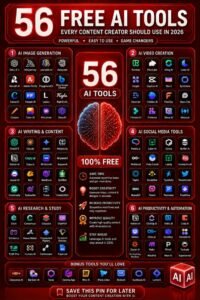
Here are some of the most useful categories of AI tools every content creator should know.
1. AI Writing Tools
Writing is one of the biggest areas where AI can help content creators.
AI writing assistants can help you brainstorm topics, create outlines, rewrite sentences, improve clarity, summarize information, and generate first drafts.
For example, if you want to write a blog post about healthy meal preparation, you can ask an AI tool to suggest potential topics, create an outline, or identify questions your audience might be asking.
AI can also help when you already have a draft.
Instead of asking it to completely rewrite your article, you can use it to identify repetitive sentences, simplify complicated sections, improve transitions, or make the writing sound more conversational.
The important thing is to treat AI-generated writing as a starting point rather than automatically publishing everything it produces.
2. AI Tools for Content Ideas
Coming up with fresh content ideas can become surprisingly difficult.
You may start with dozens of ideas and eventually feel like you’ve covered everything.
AI can act as a brainstorming partner.
You can give it your niche, target audience, and content goals and ask for:
- Blog post ideas
- YouTube video topics
- Social media ideas
- FAQ topics
- Content series
- Tutorial ideas
- Listicle topics
- Seasonal content
- Beginner-friendly topics
- Content based on common problems
For example, instead of asking for “blog ideas,” give the AI more context:
“Give me 20 beginner-friendly content ideas for a website about home organization. Focus on practical problems people have in small homes.”
The more context you provide, the more useful the suggestions usually become.
3. AI Image Generation Tools
Visual content is extremely important for modern creators.
Blog posts need featured images. Social media posts need graphics. YouTube videos need thumbnails. Websites need illustrations and visual elements.
AI image-generation tools can help creators produce original visuals from text descriptions.
You can describe the scene, subject, mood, composition, and style you want.
For example:
“Create a realistic food photography image of grilled chicken breast with roasted vegetables on a modern dinner table.”
This can give you a starting point for a blog graphic or social media visual.
AI-generated images can be especially useful when you need a custom visual that would otherwise require photography, design skills, or a stock-image subscription.
However, always review AI-generated images carefully. AI can sometimes create strange details, inaccurate text, or unrealistic objects.
4. AI Video Creation Tools
Video creation can require a lot of work.
You may need to write a script, record footage, edit clips, add captions, create transitions, find background music, and prepare different versions for different platforms.
AI video tools can simplify parts of this process.
Depending on the tool, you may be able to use AI for:
- Script generation
- Video outlines
- Automatic captions
- Voiceovers
- Background removal
- Video editing
- Short-form clips
- Text-to-video concepts
- Scene generation
- Video summaries
For YouTubers and social media creators, AI can make it easier to turn one long piece of content into several shorter videos.
5. AI Tools for Social Media Content
Social media creators constantly need new content.
AI can help turn one idea into multiple posts.
For example, a blog post about productivity could become:
- An Instagram carousel
- A Facebook post
- Several short posts
- A LinkedIn post
- A short video script
- A list of tips
- A quote graphic
- A newsletter section
This is called content repurposing.
Instead of creating every piece of content from scratch, you can create one strong piece of content and use AI to adapt it for different platforms.
This can save a lot of time while helping you maintain a consistent publishing schedule.
6. AI SEO Tools
If you create online content, search engine optimization is another area where AI can help.
AI-powered SEO tools can assist with tasks such as:
- Keyword research
- Search intent analysis
- Topic suggestions
- Content briefs
- Related topics
- Content optimization
- Meta descriptions
- Title ideas
- Internal linking suggestions
- Competitor analysis
AI can help you understand what information should be included in an article, but SEO should never be reduced to simply adding as many keywords as possible.
The best content still needs to answer the reader’s question clearly and provide genuine value.
7. AI Tools for Editing and Proofreading
Even experienced writers make mistakes.
You might overlook a spelling error, use the same phrase too many times, create an awkward sentence, or forget to maintain a consistent tone.
AI editing tools can act as an extra set of eyes.
They can help identify:
- Grammar problems
- Spelling mistakes
- Awkward wording
- Repetition
- Unclear sentences
- Weak transitions
- Inconsistent tone
- Readability issues
This is especially useful when you’re working quickly.
Instead of spending hours manually checking every sentence, you can use AI to identify areas that deserve another look.
8. AI Tools for Research
Research can consume a significant amount of time.
AI research assistants can help you organize information, summarize material, generate questions, compare concepts, and identify areas that require further investigation.
For example, if you’re creating an article about remote work, AI can help you build a research checklist containing topics such as productivity, communication, tools, challenges, and work-life balance.
However, creators should be careful about treating AI-generated information as automatically accurate.
AI can make mistakes or provide outdated information.
For important factual claims, statistics, medical information, financial information, or current events, verify information using reliable sources before publishing.
9. AI Tools for Email and Newsletter Content
Email marketing is another area where content creators can use AI.
AI can help create:
- Newsletter ideas
- Subject lines
- Email introductions
- Product announcements
- Welcome emails
- Follow-up emails
- Promotional messages
- Re-engagement campaigns
- Calls to action
For example, if you publish a weekly newsletter, you can provide AI with the main topics you want to discuss and ask it to create a simple structure.
You can then add your own experiences, opinions, examples, and personality.
That usually produces much better content than simply copying a generic AI-generated email.
10. AI Tools for Content Repurposing
One of the smartest ways to use AI is to get more value from content you already created.
Imagine you spend several hours creating a detailed YouTube video.
Instead of letting that video exist only on YouTube, you could turn it into:
- A blog post
- A newsletter
- Five short videos
- Social media posts
- A LinkedIn article
- Quote graphics
- Frequently asked questions
- A downloadable checklist
AI can help you transform the original content into these different formats.
This approach allows creators to work smarter instead of constantly starting from zero.
11. AI Tools for Thumbnails and Graphics
For creators on platforms like YouTube and social media, presentation matters.
AI-powered design tools can help create thumbnails, social graphics, presentations, banners, and other visual assets.
You can start with a simple concept and then adjust the design manually.
For example, a YouTube creator might create several thumbnail concepts for the same video and test which one communicates the topic most clearly.
Remember that good design isn’t just about making something attractive. It should also make the purpose of the content immediately obvious.
12. AI Voice and Audio Tools
Audio content has also benefited from AI.
Depending on the platform and tool, creators can use AI for:
- Voiceovers
- Narration
- Transcription
- Noise reduction
- Audio cleanup
- Podcast editing
- Captions
- Voice effects
This can be useful for creators who want to produce videos without recording every piece of narration themselves.
However, creators should be transparent when synthetic voices or other AI-generated media are used when disclosure is appropriate.
13. AI Analytics Tools
Creating content is only half the job.
You also need to understand what works.
AI-powered analytics tools can help creators examine content performance and identify patterns.
For example, you might discover that:
- Tutorial posts receive more engagement.
- Certain topics generate more traffic.
- Short videos get more views.
- Some headlines attract more clicks.
- Your audience responds better to specific formats.
Instead of looking at every number individually, AI can help summarize patterns and suggest areas worth investigating.
The final decision should still come from you.
Analytics can tell you what happened, but your understanding of your audience helps explain why it happened.
14. AI Tools for Content Planning
Consistency is easier when you have a plan.
AI can help create content calendars based on your niche, audience, publishing frequency, and goals.
For example, you could ask AI to create a monthly content plan with:
- Two blog posts per week
- Three social posts per week
- One newsletter per week
- Two short videos per week
You can also organize content around themes.
For example, a personal finance creator might dedicate one week to budgeting, another to saving money, another to investing basics, and another to reducing expenses.
This makes content creation more organized and intentional.
15. AI Chat Assistants
General-purpose AI chat assistants can be useful for almost every stage of content creation.
You can use them to brainstorm, research, outline, write, edit, summarize, repurpose, and plan.
One of their biggest advantages is flexibility.
Instead of needing a separate tool for every small task, you can use a conversational AI assistant to work through a project step by step.
For example:
- Choose a topic.
- Define the target audience.
- Generate ideas.
- Build an outline.
- Create a first draft.
- Improve the introduction.
- Add examples.
- Create FAQs.
- Write a meta description.
- Repurpose the article for social media.
The key is learning how to give clear instructions.
How to Choose the Right AI Tools
You don’t need dozens of AI tools.
In fact, having too many tools can make content creation more complicated.
Start with the areas where you spend the most time.
If writing is your biggest challenge, start with an AI writing assistant.
If you struggle with graphics, explore AI design and image-generation tools.
If video editing takes too long, look for AI video tools.
If you have trouble staying organized, use AI for planning and content calendars.
Choose tools based on your workflow rather than choosing them simply because they are popular.
How to Use AI Without Losing Your Creativity
One of the biggest concerns about AI content creation is that everything will start sounding the same.
That can happen if creators rely on AI too heavily.
Your experiences, opinions, stories, humor, examples, and perspective are what make your content different.
Use AI to help you work faster, but don’t let it completely replace your personality.
A useful workflow is:
AI generates → You review → You improve → You personalize → You fact-check → You publish.
That small difference can dramatically improve the quality of AI-assisted content.
Common Mistakes Content Creators Make With AI
AI is powerful, but it isn’t perfect.
Some common mistakes include:
Publishing AI Content Without Editing
AI-generated content can sound repetitive or generic. Always review it before publishing.
Using the Same Prompt for Everything
Better prompts usually produce better results. Include your audience, goal, tone, format, and specific requirements.
Trusting Every Fact
AI can make factual errors. Verify important information.
Creating Too Much Content
More content isn’t automatically better. Focus on useful, relevant content.
Losing Your Personal Voice
Your personality is one of your biggest advantages as a creator. Keep it present.
Using Too Many Tools
You don’t need ten different AI platforms to become productive. A small collection of tools that fit your workflow is often enough.
A Simple AI Content Creation Workflow
If you’re new to AI, don’t make things complicated.
Try this basic workflow:
Step 1: Find a topic
Use AI to brainstorm ideas based on your niche and audience.
Step 2: Create an outline
Ask AI to organize the topic into logical sections.
Step 3: Research
Gather reliable information and verify important claims.
Step 4: Write
Use AI to help create a first draft or improve sections you’ve already written.
Step 5: Add your personality
Include personal experiences, examples, opinions, and original insights.
Step 6: Create visuals
Use AI design or image tools to create supporting graphics where appropriate.
Step 7: Repurpose
Turn the finished content into social posts, emails, short videos, or other formats.
Step 8: Review
Check accuracy, originality, tone, readability, and usefulness.
Step 9: Publish and analyze
Track performance and use what you learn to improve your future content.
Final Thoughts
AI tools are becoming valuable assistants for content creators.
They can help with almost every stage of the creative process, from coming up with an idea to publishing and analyzing the final piece.
But the best creators aren’t necessarily the ones using the most AI tools.
They’re the ones who know when and how to use AI effectively.
Use AI to save time, overcome creative blocks, handle repetitive tasks, and explore new ideas. Then add your own experience, judgment, creativity, and personality.
Think of AI as your creative assistant—not the creator.
When you combine smart AI tools with human creativity, you can produce better content, work more efficiently, and spend more time doing the parts of content creation you actually enjoy.